
Zettlr LogoZettlr Documentation
Setup
Troubleshooting
FAQ
  • About Zettlr
  • Download Zettlr
  • GitHub
  • English
  • Español
  • Deutsch
  • Français
  • Italiano
  • 日本語
  • Português
  • Русский
Setup
Troubleshooting
FAQ
  • About Zettlr
  • Download Zettlr
  • GitHub
  • English
  • Español
  • Deutsch
  • Français
  • Italiano
  • 日本語
  • Português
  • Русский
  • Welcome
  • Getting started

    • Setup
    • Migrating from Obsidian
    • Migrating to a New Computer
    • Installing LaTeX
    • A Note on Security
    • Get involved
    • Troubleshooting
  • First Time Users

    • First Steps
    • Workspaces
    • Creating Files and Folders
    • Writing Markdown
    • Importing Word- and other Documents into Zettlr
    • Exporting Files
  • Interface

    • File Manager
      • Workspaces and Root Files
      • Choosing Which Files To Display
      • File Manager Appearance (Modes)
      • The File List
      • Properties
      • Filtering
      • Global Search
      • Projects
    • Split View
      • Document Tab Bar
      • Markdown Editor
      • Code Editor
      • Image Viewer
      • PDF Viewer
    • Sidebar
      • Table of Contents
      • References
      • Related Files
      • Other Files
  • Writing

    • Markdown Editor
      • Markdown Compendium
      • Appearance
      • Search
      • Autocomplete
      • Footnotes
      • Citations
      • Working With Comments
      • Status Bar
      • Table Editor
      • Text Transforms
      • Snippets
      • YAML Front Matter
    • Language & Style
      • Spellchecking
      • LanguageTool
      • Markdown Syntax
      • Autocorrect and Magic Quotes
      • Readability
    • Scientific & Technical
      • Math
      • Code Blocks
      • Mermaid Diagrams
      • Pomodoro Timer
      • Writing Statistics
    • Exporting
      • Exporting Workflow
      • Defaults Files (Profiles)
      • Selecting the PDF Engine
      • Assets Manager
      • Custom Templates and Reference Documents
      • Custom Commands
      • Printing and Previewing
      • Lua Filters
    • PKMS & Zettelkasten
      • The Zettelkasten method
      • Graph View
      • Tag Manager
  • Guides
    • Custom CSS
    • Reference Manager Integration
    • Setting up LanguageTool locally
    • Presentations
    • Submitting to a Journal using a LaTeX Template
    • Zettlr as a Portable App
  • Reference
    • Keyboard Shortcuts
    • Settings
    • Frequently Asked Questions

Markdown Editor

Markdown Editor

At the heart of Zettlr sits its most powerful component: The Markdown editor.

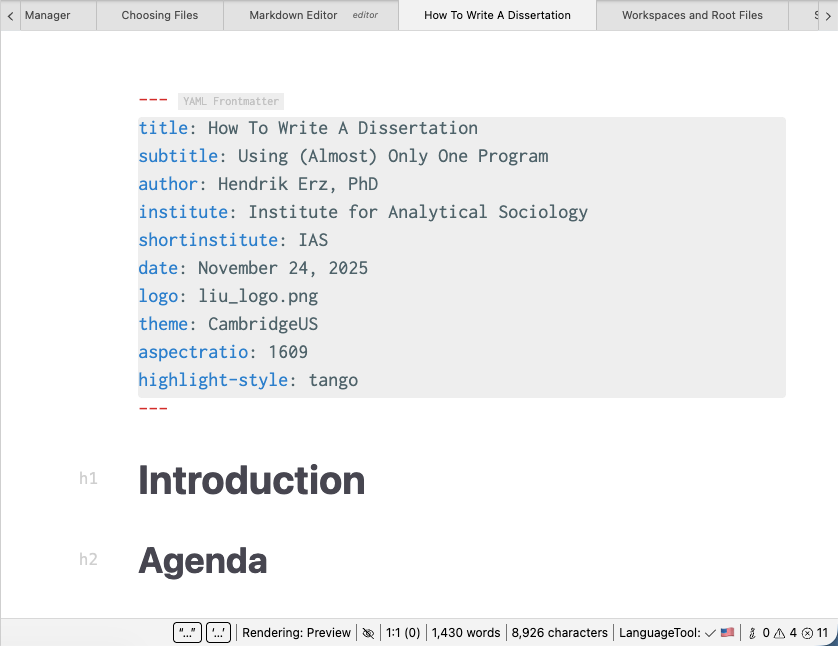
Zettlr's Markdown editor is the most advanced environment to write documents effectively using a combination of common shortcuts and plain text syntax. Over the years, we have steadily evolved the editor and by now it's the industry standard for comfortable writing.

Zettlr is, first and foremost, a Markdown editor, but without sacrificing creature comforts we know from word processors such as Microsoft Word, Pages, or LibreOffice. It offers a fully WYSIWYG view, while at the same time allowing you to define block elements by simply typing in the corresponding syntax elements. That means that you can write Markdown by combining shortcuts, such as Cmd/Ctrl+B with creating lists simply by starting a new line with an asterisk.

Since the Markdown editor is so feature-rich, it has its own section in this documentation.

In this particular subsection, you will find features that pertain directly to composing documents. The other sections introduce you to more advanced features that will improve your writing experience beyond the actual writing.

Here is a brief overview over some of the unique features of Zettlr's editor:

  • Introduction to the Markdown Syntax and the extensions Zettlr supports
  • Search Functionality with regular expressions
  • Autocompletion of many different elements
  • Footnotes
  • The Status Bar
  • The Table Editor
  • Text Transforms
  • Snippets
  • YAML Frontmatters

Following this, you have a set of sections dedicated to introducing more advanced features:
  • Language and Style
  • Scientific and Technical
  • Exporting
  • PKMS and Zettelkasten

markdown_editor_example.png

Edit on GitHub
Last update: 8/18/26, 8:15 PM
Contributors: Hendrik Erz
Prev
Other Files
Next
Markdown Compendium
© 2017-2026 by Zettlr and Contributors